
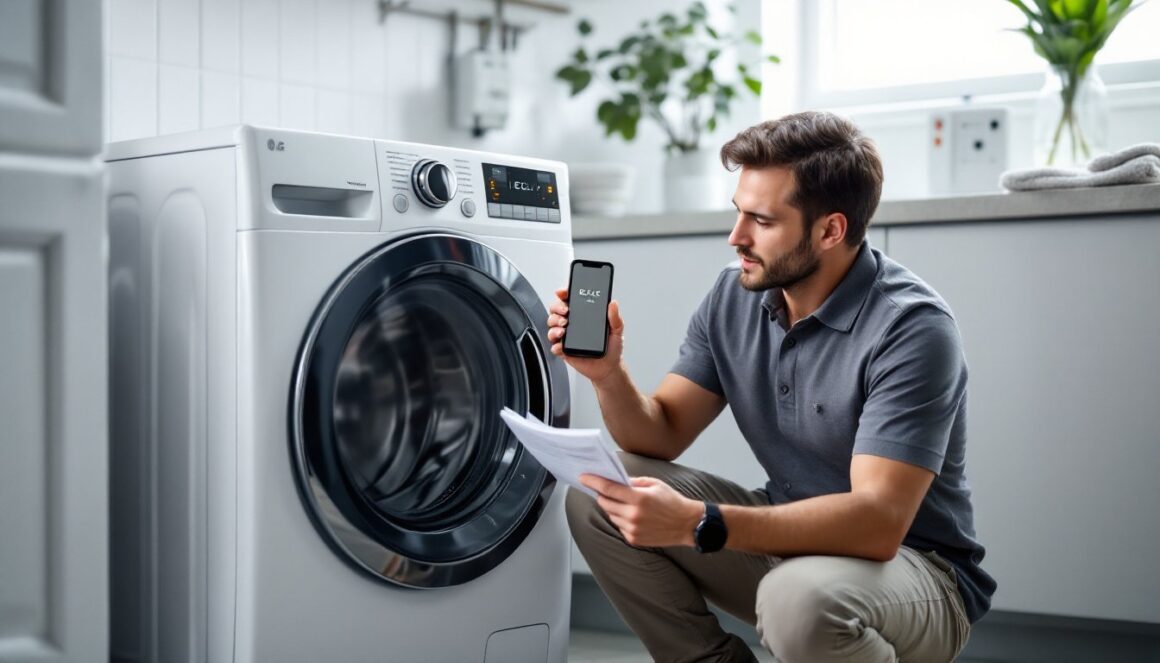
When an LG washer stalls, shows an error, or the control panel goes dark, a reset often gets it back to normal without a service call. This guide covers the quick soft reset, a more thorough hard reset (power-cycle), model‑specific button combos, and how to handle common error codes like IE, UE, OE, LE, and CL. It’s written for homeowners and DIYers: practical steps, safety reminders, and diagnostics to try before calling a technician. Keep the washer’s model number handy, reset steps can vary by model.
Key Takeaways
- Perform a soft reset by unplugging your LG washer for 5–10 minutes to clear minor glitches and restore normal function.
- Use a hard reset (full power cycle) if the washer remains unresponsive, including turning off the breaker and pressing Start/Pause for 5 seconds while unplugged.
- Try model-specific button combinations for reset, such as holding Spin Speed + Soil Level on front-loaders or Start/Pause + Power on top-loaders.
- Address common error codes (IE, UE, OE, LE, CL) by fixing their causes before resetting to prevent recurring issues.
- Always unplug the washer or switch off the circuit breaker before troubleshooting, and have the model number and manual ready for reference.
- Regular maintenance like cleaning filters, avoiding overloads, using correct detergent, and leveling the washer helps reduce errors and resets over time.
Perform A Simple Power Reset (Soft Reset) In Minutes
A soft reset is the first, least invasive step and often clears minor glitches after a power blip or a frozen control panel. Use this when the washer isn’t responding but there are no obvious mechanical failures.
- Press Power to turn the washer off.
- Unplug the washer from the outlet, or switch off the breaker feeding the circuit.
- Wait 5–10 minutes to allow capacitors and control boards to discharge. Some electronics need the full 10 minutes.
- While unplugged, press and hold Power or Start/Pause for about 5 seconds to further discharge residual power.
- Plug the washer back in, turn Power on, and run a short Quick or Rinse & Spin cycle to test.
Why this works: many control boards reset themselves when fully discharged, clearing temporary lockups. If the washer still won’t start or an error code remains, move to a full power‑cycle reset.
Do A Full Power-Cycle Reset And Breaker Check (Hard Reset)
A hard reset (power‑cycle) is for persistent freezes, repeated door‑lock errors, or unresponsive touch panels.
- Turn Power off.
- Unplug the washer or turn OFF the circuit breaker that supplies the washer. Confirm the breaker stays on when you try to switch it back (no immediate trips).
- Wait 1–5 minutes (5 minutes recommended: some main boards need longer).
- With power still off, press and hold Start/Pause for 5 seconds.
- Restore power (plug in or switch breaker ON).
- On some LG models with door or lock issues, open and close the door 6–12 times after power is restored to help the lock mechanism reset.
- Turn Power on and test a cycle.
Notes and safety: always confirm the washer is unplugged or circuit breaker is OFF before touching panels or the door lock. If the breaker trips repeatedly after restoring power, stop and investigate or call an electrician.
Model-Specific Reset Methods And Buttons To Try
LG uses a few different panel layouts: some models require specific button combinations to trigger a reset. Always verify with the user manual or the model number on the washer.
Common sequences to try:
- Front‑load inverter / combo models:
- Power OFF and unplug for 10 minutes.
- Hold Spin Speed + Soil Level for 3 seconds. The display may flash or show CL.
- Power OFF and ON, then run a short cycle.
- Top‑load models:
- Power OFF, unplug 10 minutes.
- Hold Start/Pause + Power together for 5 seconds.
- Plug in and run Rinse & Spin.
-
Physical reset button designs:
-
Locate a recessed Reset button (rear or control panel). Press and hold 10–15 seconds until reset completes, then power on.
-
Factory‑type resets (only if described in the manual):
-
Touch panel: Hold Power + Pre‑Wash ~10 seconds until display indicates a reset (codes like “FF/F1” may appear).
-
Dial models: Hold Start/Pause + Soil Level as above.
Tool note: a miter saw isn’t relevant here, but having a flashlight and phone camera to capture code displays is helpful when consulting the manual or service.
If unsure, use the standard soft or hard reset first: model combos are an extra step when the basic resets don’t help.
Resetting After Common Error Codes (IE, UE, OE, LE, CL) — Step By Step
Error codes often point to fixable problems. Clearing the condition first makes a reset effective.
IE, Water Inlet Error:
- Confirm water taps are open and water pressure is normal.
- Inspect hoses for kinks.
- Remove and clean inlet filters/screens (a small brush helps).
- Run a soft reset and attempt a fill cycle.
UE, Unbalanced Load:
- Pause and open the door.
- Redistribute clothes, remove single heavy items (towels, rugs).
- Select Spin and try again. If UE persists, do a soft reset.
OE, Drain Error:
- Check the drain hose for clogs or kinks: confirm proper hose height as per manual.
- Clean the pump filter (if accessible). Use towels and a bucket for residual water.
- After clearing the blockage, perform a soft or hard reset and run Rinse & Spin.
LE, Motor/Load Error:
- Remove tangled or overloaded laundry and redistribute evenly.
- Power OFF, unplug for 5–10 minutes, press Start/Pause 5 seconds, then restore power (hard reset).
- If LE reappears, the motor or board may be failing and service is likely required.
CL, Child Lock (not a fault):
- Press and hold the Child Lock key combo (often Temp + Options or follow the panel icon) for 3 seconds.
- If CL won’t clear, do a soft reset and retry.
Remember: clearing the code without fixing the underlying condition (e.g., a clogged drain for OE) will usually result in the code returning.
When A Reset Fails: Basic Diagnostics To Run Before Calling Service
If resets don’t fix the problem, run these checks to narrow down the cause.
-
Power / breaker check:
-
Verify the outlet has power with a non‑contact tester or by plugging another appliance.
-
Confirm the breaker doesn’t trip when the washer is powered on. Repeated tripping suggests electrical or motor issues.
-
Door / lock:
-
Ensure the door fully latches and there’s no foreign object blocking the strike. A broken latch or lock assembly often prevents cycles.
-
Drain & drum:
-
Empty the drum and inspect for coins, keys, or clothing that jam rotation or the pump.
-
Control panel response:
-
Test multiple buttons and the cycle dial. If buttons remain unresponsive after a hard reset, the control board or touch membrane may be faulty.
-
Smells or leaks:
-
A burning smell, smoke, or visible leaks are red flags, unplug immediately and call service.
When to call service: persistent LE/OE even though correct plumbing, electrical faults that trip breakers, burned electronics, or when repairs require disassembling sealed components. Have the model number, photos of error codes, and notes of steps already taken ready for the technician.
Tools, Safety Tips, And What To Have Ready Before You Start
Being prepared saves time and prevents accidents.
Tools & supplies:
- Bucket and towels for water spills.
- Small brush and pliers for cleaning inlet screens and hose clamps.
- Flashlight and phone (take photos of the control panel/error codes).
- Non‑contact voltage tester if checking outlet power.
Safety and PPE:
- Always unplug the washer or switch breaker OFF before touching hoses, filters, or panels.
- Wear safety goggles and gloves when accessing the pump filter or working under the machine.
- Do not operate the washer with wet hands.
- Never bypass the door lock or safety interlocks, those protect users and prevent damage.
Have ready:
- The exact model number (usually on the door jamb or rear panel).
- The user manual (digital PDF if the paper copy isn’t available).
- A list or photo of steps already tried, this speeds up phone support or technician visits.
Honest note: some tasks (motor replacement, control board swap, sealed tub work) require a licensed technician and possibly permits for electrical work. If unsure, stop and get professional help.
Preventive Maintenance To Reduce Future Resets And Breakdowns
Simple maintenance cuts down on error codes and the need for resets.
- Clean inlet filters and the drain pump filter on the schedule recommended in the manual. Clogged screens cause IE and OE errors.
- Avoid overloading the washer, follow LG’s capacity guidance. Overloads stress the motor and trigger LE or UE.
- Use the correct detergent type (HE vs. regular) and measured amounts: excess suds can confuse sensors. A gallon of HE detergent covers roughly 64–128 loads depending on concentration, follow the label.
- Run a Tub Clean or maintenance cycle monthly to reduce residue and mold.
- Keep the washer level using a bubble level: adjust the feet to eliminate UE errors caused by imbalance.
- Inspect hoses every 6–12 months for wear: replace rubber hoses every 5 years or per manufacturer recommendations.
These steps reduce mechanical and electronic strain that leads to resets and service calls. Regular upkeep is the most cost‑effective way to keep an LG washer running reliably.