
The demand for high-quality visual content has never been higher — but for creators, marketers, and educators, the gap between “what you describe” and “what an AI actually generates” remains a persistent frustration, especially when text, typography, and multilingual labels are involved.
Nano Banana Pro on SuperMaker AI is one of the more capable answers to that problem right now. It combines accurate text rendering, multi-image prompting, and 4K output into a single browser-based workspace — no downloads or sign-up required. Whether you’re producing campaign creatives, educational diagrams, or product mockups, the workflow is built to move fast without sacrificing precision.
Who This Tool Is Best For
Nano Banana Pro is not a general-purpose generator trying to do everything for everyone. Its strengths are specific, and that specificity makes it genuinely useful for a few distinct groups.
Marketers and brand teams working across multiple channels know the pain of producing the same asset in six different aspect ratios while keeping typography readable and on-brand. Traditional workflows involve a designer, multiple export rounds, and a review cycle that can stretch a single campaign visual into a half-day task.
Content creators and social media managers face a related problem: maintaining visual consistency across a content series when every thumbnail, cover image, and carousel slide needs to feel like it belongs to the same brand.
Educators and instructional designers — particularly those producing multilingual materials — often hit a wall when AI tools mangle non-Latin scripts. Chinese, Japanese, and Korean labels in diagrams frequently come out unreadable, which means a manual correction step that defeats the purpose of using AI at all.
E-commerce teams producing product variant images at scale need clean background swaps, consistent lighting, and outputs that hold up at high resolution across multiple SKU listings.
All of these users share a core frustration: most AI image tools handle photographic scenes well but break down the moment precise text, consistent style across a set, or professional output resolution becomes a requirement.
Core Features of SuperMaker’s Nano Banana Pro Image Generator
The feature set of Nano Banana Pro is tightly focused on the problems outlined above, which makes it worth examining in some detail.
Accurate Text Rendering and Multilingual Support
This is the headline capability, and it’s the most meaningful differentiator from most competing generators. Nano Banana Pro delivers accurate in-image text rendering, including notably stronger performance for Asian languages. For anyone producing bilingual posters, localized ad creatives, annotated product diagrams, or educational infographics, this eliminates the correction step that usually follows AI generation. Labels, chart annotations, callouts, and poster typography all render with legibility that makes outputs directly usable.
You can explore this capability directly through Nano Banana Pro on SuperMaker’s platform, which offers both text-to-image and image-to-image modes in the same workspace.
Multi-Image Prompting (Up to 4 References)
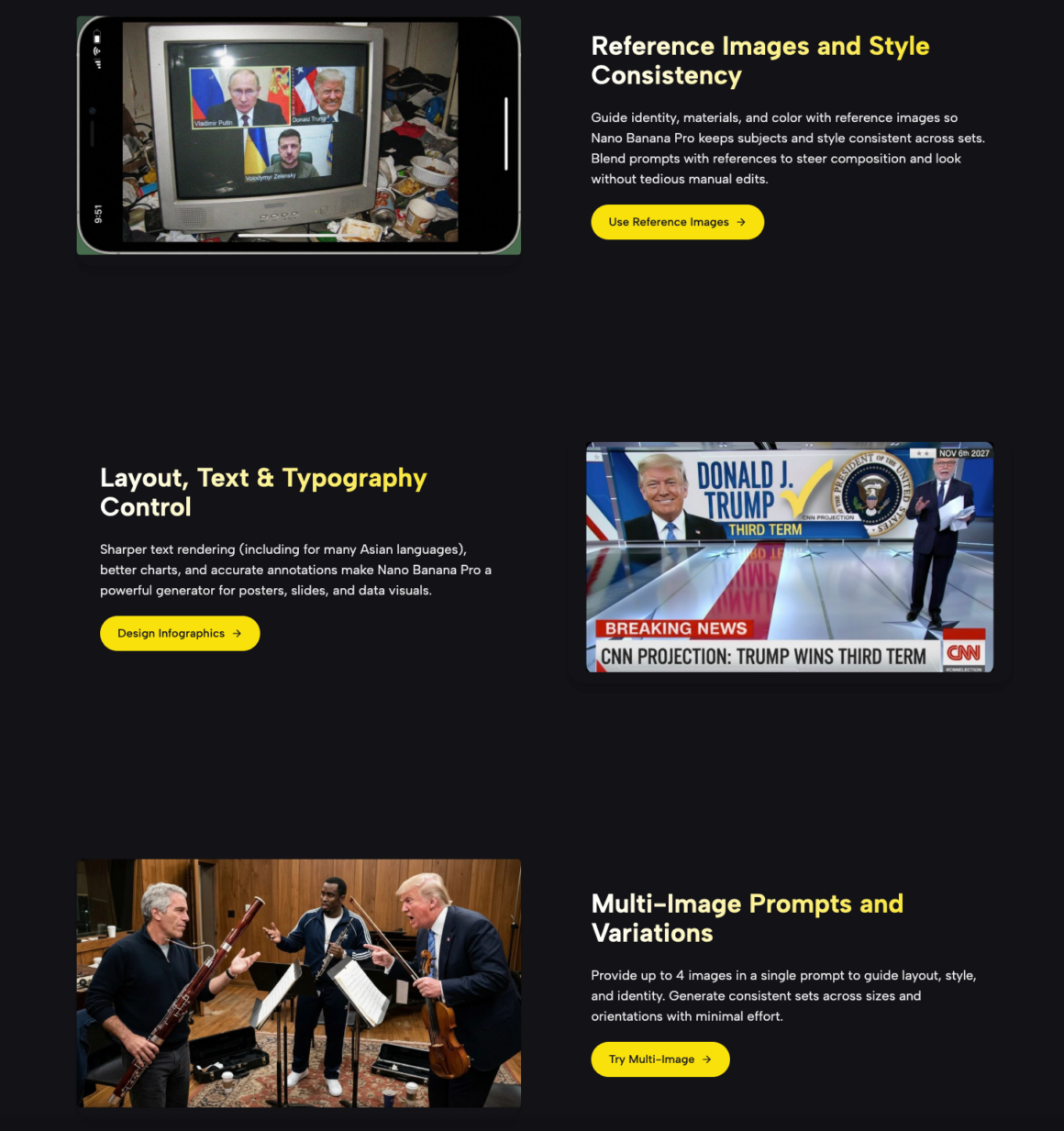
Supplying up to 4 reference images in a single prompt is a practical upgrade that changes how style consistency is managed. Instead of hoping the model infers your brand’s color palette from a text description, you can anchor it with actual reference images — controlling subject identity, material look, layout structure, and color mood simultaneously. This is especially valuable for product packs, content series, and any workflow where outputs need to feel cohesive across a set.
4K Output and Flexible Aspect Ratios
2K native resolution with a 4K upscale pipeline means outputs are genuinely print-adjacent in quality — suitable for large-format banners, high-DPI displays, and e-commerce listings where pixelation at zoom is a visible problem. Aspect ratio support covers the full range of modern channels: landscape (16:9, 21:9), square (1:1), and portrait formats (4:5, 9:16, 3:4), so a single session can produce assets for every platform simultaneously.
How to Use Nano Banana Pro in Supermaker
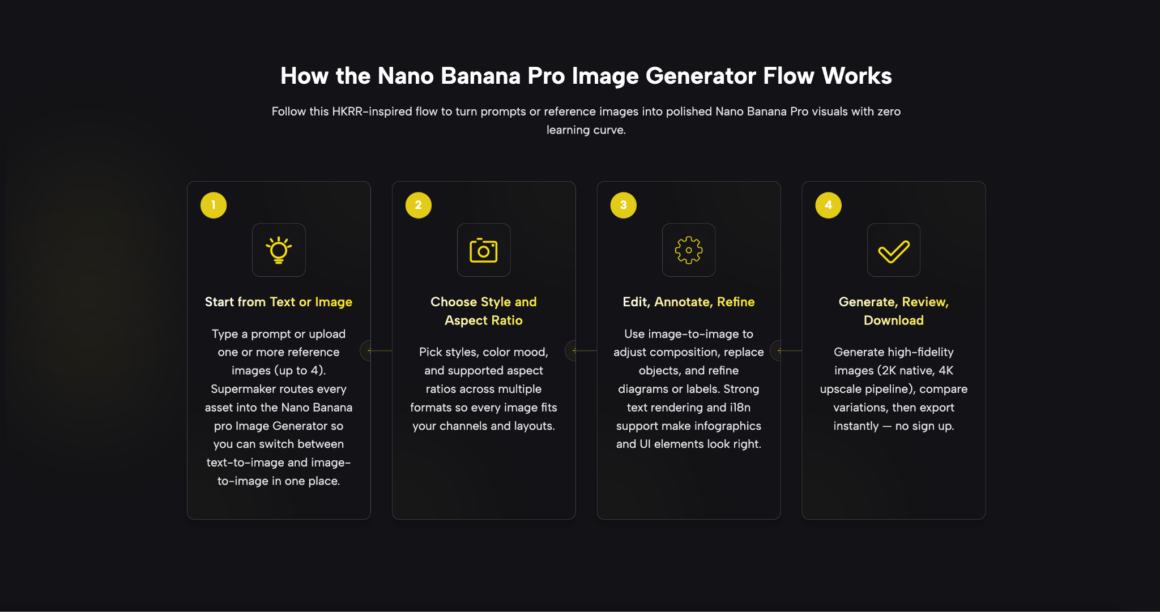
The workflow is designed to be accessible without a learning curve. Here’s how a typical session runs:
Step 1: Open the Tool
Navigate to the Nano Banana Pro page on SuperMaker. No account creation or software installation is needed — the generator runs entirely in the browser.
Step 2: Choose Your Mode and Input
Select text-to-image or image-to-image. For text-to-image, type your prompt describing the scene, layout, style, and any text elements you want rendered. For image-to-image, upload one or more reference images (up to four) alongside your prompt to guide the output style and subject.
Step 3: Configure Format Settings
Set your preferred aspect ratio and resolution tier. Pick the format that fits your target channel — vertical for Instagram stories, square for feed posts, landscape for banners and thumbnails.
Step 4: Generate, Review, and Export
Generate your images, compare the variations, and download the output directly. There’s no processing queue to wait on, and exports are immediate.
Best Use Cases / Practical Scenarios
- Social media content creation — generating vertical, square, and landscape assets with sharp readable text for carousels, covers, and story graphics
- Campaign hero images and ad creatives — producing i18n-ready visuals with flexible aspect ratios that keep brand typography intact across markets
- Educational infographics and bilingual slides — creating annotated diagrams and multilingual teaching materials without post-generation text correction
- E-commerce product visuals — swapping backgrounds, adjusting lighting, and generating consistent SKU variants at high resolution with minimal manual cleanup
- Pitch decks and presentation graphics — building investor-ready data visuals and branded imagery that stays consistent across multiple slides
- Creative concept exploration — “Using multi-image prompts to steer character identity, color palette, and art style across a series of concept illustrations
Comparison: Nano Banana Pro vs. Other AI Image Options
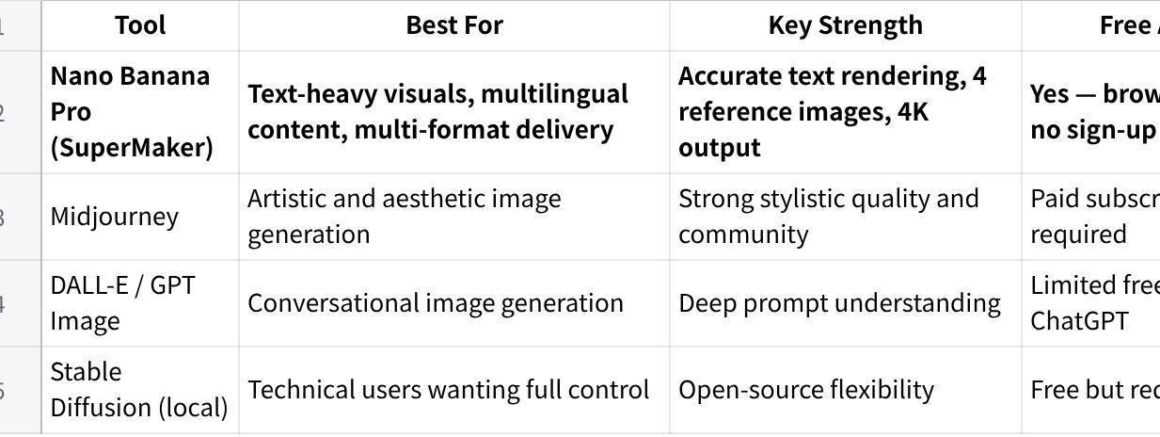
点击图片可查看完整电子表格
For teams that need readable text, multilingual labels, and consistent outputs across aspect ratios, Nano Banana Pro’s combination of browser accessibility and pro-level rendering is a meaningful practical advantage over general-purpose alternatives.
FAQ
What is Nano Banana Pro?
Nano Banana Pro is an AI image generator available on SuperMaker AI’s platform. It specializes in accurate text rendering, multilingual label support, multi-image prompting (up to 4 references per prompt), and high-resolution output up to 4K. It supports both text-to-image and image-to-image workflows and runs entirely in the browser.
Is Nano Banana Pro free to use?
Yes. SuperMaker provides browser-based access to Nano Banana Pro with no download or account requirement needed to get started. The platform also offers a paid credit tier for users who need higher volumes or premium resolution options.
Can I use the generated images commercially?
According to the platform, outputs can be used for campaigns, ads, product pages, social monetization, and internal training, provided you hold rights to any input assets you supply. For specific licensing questions, reviewing SuperMaker’s official terms of service directly is recommended.
What makes Nano Banana Pro different from other AI image generators?
The key differentiators are its accurate in-image text rendering (including Asian language support), multi-image prompting with up to 4 references, and a 4K upscale output pipeline — capabilities that specifically address the professional production use cases where most general-purpose generators fall short.
Conclusion
For creators and teams who have run into the limitations of standard AI image generators — garbled text, style drift between outputs, resolution that doesn’t hold up — Nano Banana Pro offers a focused, practical alternative. It’s not trying to be an all-purpose creative tool; it’s built for professional visual production where accuracy, consistency, and output quality actually matter. If your workflow involves text in images, multilingual content, or multi-format delivery, this is one of the more capable free tools available right now — and it’s worth testing on a real project today.