
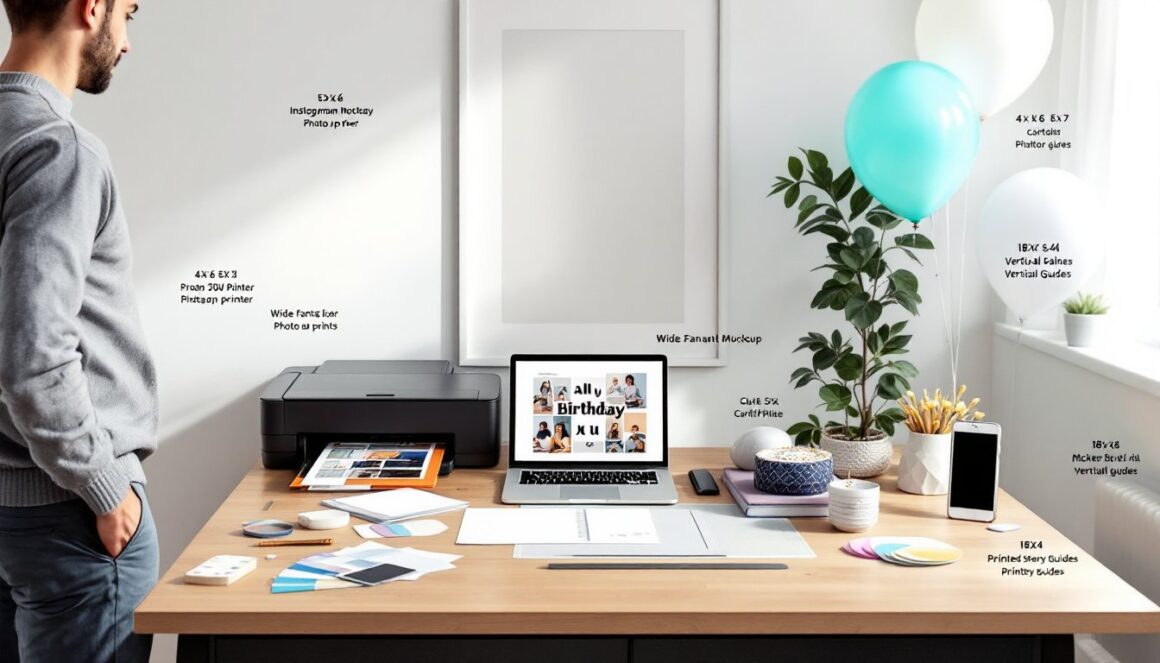
Planning birthday visuals for a son, whether he’s five or twenty-five, starts with a few simple choices: theme, format, and the feeling you want to create. This guide gives 25 concrete image ideas, where to source high-quality assets (free and paid), and clear how-to steps for customizing, printing, and using images across decorations and gifts. It’s written for the DIYer who wants practical, usable results without guessing games, think of it as a friendly neighbor handing over a proven checklist.
Key Takeaways
- Choosing a clear theme, size, and mood simplifies planning effective birthday images for your son.
- Use high-resolution images and the right color profiles for quality prints of birthday visuals.
- Leverage free and paid resources like Depositphotos, Unsplash, and Freepik to find versatile image assets for son’s birthday designs.
- Customize images with tools like Canva or Photoshop, ensuring Greek text accuracy if included, for a personal touch.
- Consider formats for various uses—from social posts to print posters and gifts—by following specific size and resolution guidelines.
- Safety matters: when crafting physical decorations, wear protective gear and work carefully with cutting tools.
Quick Planning: Choose A Theme, Size, And Mood
Start by picking three things: theme, size/format, and mood. That narrows options fast and stops scope creep.
Theme choices (match to age/personality):
- Young kids: cartoons, animals, superheroes, dinosaurs.
- Teens: gaming, music, sports, urban/neon aesthetics.
- Adults: minimalist typography, hobbies (cars, travel, photography).
Size & format guidance:
- Social posts: use square 1080×1080 px or vertical 1080×1920 px for stories. These are standard on Instagram and Facebook.
- Print posters/banners: export at 300 dpi with large pixel dimensions (for an 18×24″ poster at 300 dpi use 5400×7200 px). Always check the printer’s bleed specs.
- Small prints: 4×6″ or 5×7″ photos, use actual (not nominal) sizes when cutting mats.
Mood (decide early): funny, sentimental, playful, or cool. Mood dictates color palette, fonts, and props (balloons vs. string lights).
Practical planning checklist:
- Decide theme and write down two reference images you like.
- Choose final uses (social, poster, cupcake toppers) and note sizes needed.
- Pick language: English, Greek (“Χρόνια Πολλά, γιε μου“), or bilingual, this affects typography and spacing.
Tools & prep notes:
- If printing large, use a local print shop or a wide-format inkjet, home inkjets can be pricey for large runs.
- For image editing, free tools like GIMP or web apps like Canva work: advanced edits use Photoshop.
- Safety note: when cutting printed boards or foamcore, wear safety goggles and cut on a cutting mat with a fresh craft blade.
25 Creative Image Ideas For Different Ages And Styles
Here are 25 image concepts with quick execution tips. Pick ones that match the theme and mood you set above.
- Photo collage from baby to current age, use consistent crop and border. Good for posters.
- “Happy Birthday Son” typographic image, choose a bold sans serif for modern look.
- Superhero-style poster with his name, add comic halftone texture for authenticity.
- Gaming “Level Up” card, use pixel fonts and a progress bar graphic.
- Sports trading card with photo and “stats”, print as 2.5×3.5″ cards.
- Comic-strip style recap of the year, 3–4 panels, speech bubbles, simple illustrations.
- Crown/prince themed portrait, use gold foil effect when printing.
- Chalkboard-style “About Me” poster, white handwriting font on dark textured background.
- Meme-style funny greeting, use a high-resolution funny photo and short punchline.
- Neon/urban poster for teens, saturated colors, grain texture, and bold neon text.
- Gold-and-black elegant design for adult sons, limit palette and use serif font.
- Ticket-style “VIP Birthday Pass”, perforated edge look works well on cardstock.
- Polaroid-frame collage, export square photos with white borders and shadow.
- Photo + handwritten “Love, Mom/Dad” overlay, use a scanned signature for authenticity.
- Cartoon avatar of your son, commission a simple vector avatar or use avatar apps.
- Cake-and-balloons image with Greek “Χρόνια Πολλά Γιε μου”, center the Greek text: check accent marks.
- Travel-themed poster for a son who loves trips, vintage postcard layout.
- Music-concert poster layout, bold headline, supporting “tour dates” as life events.
- Sports jersey mockup with age as number, print full-size or as a card.
- Minimalist white background wish, single sentence, lots of breathing room.
- Retro 90s/2000s collage, neon shapes, tape edges, and retro fonts.
- “Top 5 Memories” image list, combine photos with short captions.
- “Things I Love About You” poster, hand-lettered style works well.
- Animated GIF birthday card, loop 3–5 images with simple transitions.
- Short 15–30s photo video with text effects, export for WhatsApp/Instagram.
Execution tips:
- For print-focused items, export at 300 dpi. For web, 72–150 dpi is fine but prioritize pixel dimensions.
- Use consistent color profiles: sRGB for web, CMYK for commercial print (ask the print shop).
- When adding Greek text, verify fonts support Greek characters to avoid substitution issues.
Material note: many of these ideas can be mixed, turn a GIF into a short video for social or print a still from a video for a poster.
Where To Find High-Quality Birthday Images (Free And Paid)
Sourcing images depends on budget, intended use, and license needs. Below are reliable starting points and what to watch for.
Paid stock options (better for commercial prints and unique assets):
- Depositphotos, large library: search in English or Greek (e.g., “ευχές γενεθλίων”, “birthday son”). Good for themed vectors and posed photos.
- Adobe Stock and Shutterstock, robust search, editorial and creative assets: subscription or per-image credit options.
Free sources (personal use usually fine: double-check licenses):
- Unsplash and Pexels, high-resolution photos: verify whether model releases exist if you’ll print large with recognizable people.
- Pixabay, vectors, photos, and simple illustrations: check license for redistribution.
Specialty resources and apps:
- GIF and animated assets: look for dedicated apps like GIF Birthday Wishes or animated sticker packs in messaging apps.
- Vector illustrations and templates: Freepik (some items require attribution unless paid).
- Avatar/cartoon services: marketplaces like Fiverr for custom vector avatars at reasonable prices (commission timeframe and revisions matter).
License & quality checklist:
- Confirm license allows printing and personal distribution: commercial use needs extended licenses.
- For prints larger than 8×10″, ensure the asset is high-resolution (preferably >3000 px on longest side).
- If using images with people, check for model release if printing for promotional/commercial use.
Search tips:
- Use both English and Greek keywords to expand results: “birthday son”, “son birthday”, “ευχές γενεθλίων γιος”.
- Narrow by orientation (portrait/landscape), color palette, and file type (PNG for transparency, JPEG for photos).
Cost note: subscription plans vary, light users often buy single credits: heavy users get better per-image rates on monthly plans.
How To Customize, Print, And Use Images For Decorations And Gifts
Customize images so they feel personal. Below are step-by-step actions and materials/tools lists.
Materials & tools (basic):
- Printer: inkjet for photos, laser for text-heavy prints: local print shop for large formats.
- Paper: photo paper (glossy or matte), cardstock (65–110 lb) for cards, canvas for stretched prints.
- Adhesives: double-sided tape, glue dots, spray adhesive.
- Cutting: metal ruler, cutting mat, fresh craft blade.
Quick customization steps:
- Open the image in an editor (Canva, Photoshop, or free editor like GIMP).
- Set document size and 300 dpi if printing. Convert to CMYK if your printer requires it.
- Add text, use fonts that support Greek if needed. Keep text at least 10–12 pt for legibility on prints.
- Proofread: verify Greek diacritics and spelling of “Γιέ μου” or “γιε μου”.
- Export as PDF/X or high-quality JPEG for printing.
Printing tips:
- For posters: send a PDF at final size with bleed (usually 0.125″).
- For cards/tags: print 2-up on letter paper or use a local shop for heavier cardstock.
- For canvas: export at required pixel dimensions or let the print shop handle scaling.
Using images in decorations and gifts:
- Wall banners: mount poster board on foamcore for rigidity.
- Table centerpieces: print 4×6″ photos, mount on cardstock sticks or small easels.
- Cupcake toppers: print on sticker paper and punch with a 1.5″ circle punch.
- Personalized gifts: photo mugs and pillows usually require 150–300 dpi files and a shop that provides mockups.
Digital use:
- For social and messaging, export web-optimized JPEGs (~80% quality) to keep file sizes manageable.
- For animated GIFs/videos, keep loops short (3–8 seconds) and export MP4 for better compatibility on social platforms.
Practical troubleshooting:
- Colors look off? Ask the printer for a proof or use a calibrated monitor and export with the correct color profile.
- Text blurry on small prints? Increase font weight or rasterize at higher resolution.
Safety & finish: when cutting signs or foamcore, wear safety goggles and cut away from hands. Use a spray fixative for printed art to prevent smudging on glossy papers.
Conclusion
Creating memorable birthday images for a son is a mix of planning, the right sources, and simple customization. Choose a theme, pick sizes early, and use high-resolution files for print. Free and paid stock libraries plus online editors make it easy to produce everything from posters to animated social greetings. With a clear plan and a short tools list, any homeowner or DIYer can produce professional-looking visuals that feel personal, no expensive design degree required.