
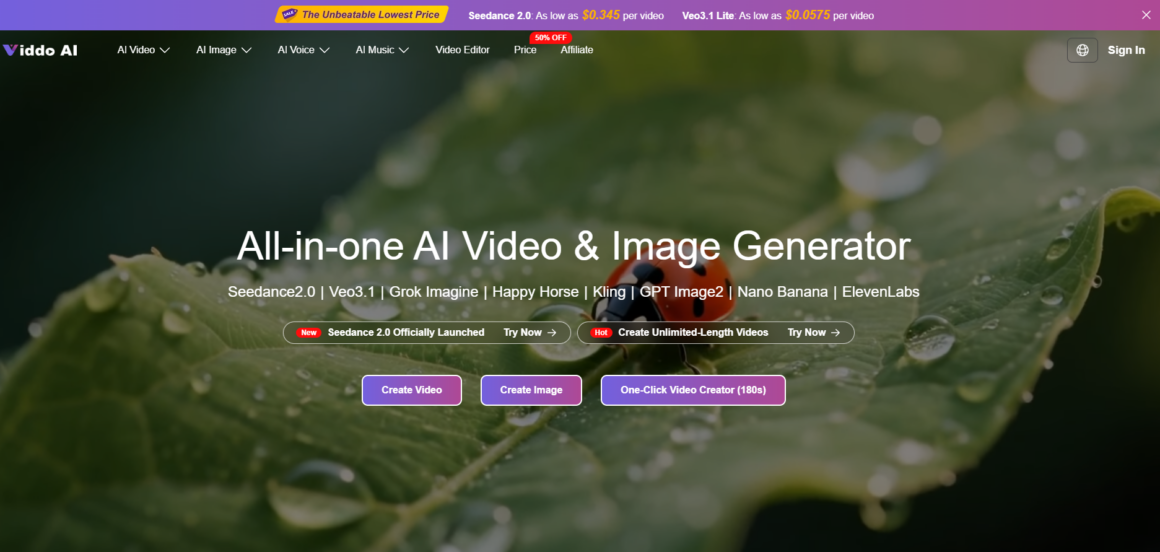
There is a satisfying little moment when a generation finishes and a scene you only imagined starts to play. It feels like the work is done. It almost never is. Anyone can now create ai video from a sentence or a photo in a couple of minutes, which means the raw generation has quietly become the cheap part of the process. The expensive part, the part where projects stall and feeds stay empty, is everything between that first raw clip and something actually worth posting.
Call it the last mile of AI video. It is where a silent clip needs sound, a five-second fragment needs to become a sequence, and a promising draft needs the small corrections that separate a demo from a deliverable. This is exactly the stretch where a tool’s depth matters more than its headline model, and where an end-to-end workspace like Viddo AI earns its place, because it keeps generation and finishing in the same room.
Why a Raw Generated Clip Is Rarely Ready to Post
A freshly generated clip tends to arrive with three quiet problems. It is usually silent, and silence reads as unfinished on every platform that autoplays. It is usually short, often a handful of seconds, which is fine for a loop and awkward for anything that needs to tell a story. And it is usually a single continuous shot, which means it has no edit, no rhythm, no moment where the pace changes to hold attention. None of these are model failures. They are simply the difference between a generation and a video, and pretending they do not exist is why so many people produce one impressive test clip and then never ship a real piece.
Sound Is the Half of Video Everyone Forgets
Ask anyone what makes a clip feel professional and they will describe the visuals. Ask an editor and they will tell you it is the audio. A scene with matched ambient sound, a fitting music bed, or a clear narration feels intentional; the same scene in silence feels like a screen capture. This is the part most people underestimate because generation tools train you to think in pixels, not in sound.
Viddo AI folds this into the same workflow rather than sending you off to a separate app. It can layer ambient sound, background music, or generated narration that aligns with the mood of the visuals and stays synchronized with them, which removes the fiddly manual step of lining up audio to picture in a different tool. For creators who need a finished clip rather than raw footage, that integration is not a luxury feature, it is the thing that turns an output into something you would put your name on.
Length and Continuity Are Where Single Clips Break
The second wall people hit is duration. A single generation gives you a moment, not a narrative, and stitching several unrelated generations together usually produces visible seams where the subject subtly changes between shots. Continuity is hard precisely because independent clips have no memory of one another.
This is where working from a fixed anchor helps. If you take a product still and run an ai image to video pass, the source frame keeps the subject consistent, and then extending that same clip builds a longer sequence that grows out of it rather than colliding with a fresh, slightly different generation. Inside Viddo AI the extend option is designed for exactly this, letting you push a promising clip into a longer, smoother sequence instead of gambling on a second generation matching the first. One detail shapes how you write throughout: the platform passes your prompt straight through to whichever model you pick rather than rewriting it into a shared house syntax, so you stay close to each engine’s own behavior and continuity depends on your source and your extends, not on hoping two prompts land identically.
The On-Screen Steps From Idea to Finished Cut
The workflow stays short even though the finishing is where the value sits.
Choose a Mode and Pick a Model
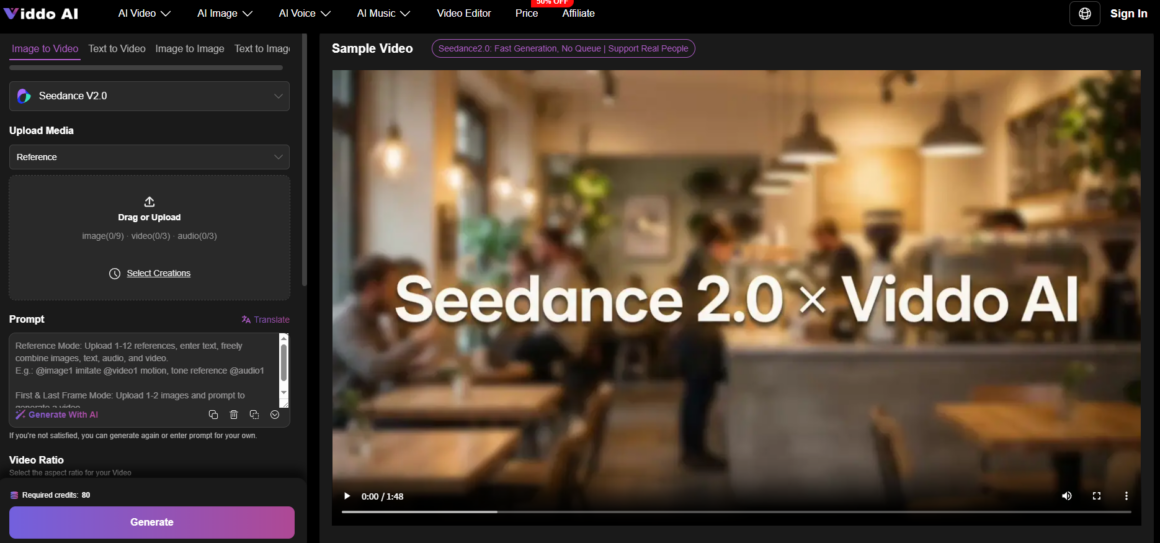
You begin by selecting image to video, text to video, text to image, or image to image, then choosing which model will handle the job.
Letting the Goal Decide the Engine
Naming the hard part of your shot first, whether a face, a label, or a fast turnaround, makes the model choice a decision rather than a guess.
Provide a Photo or Describe the Scene
Next you upload a JPG or PNG, or write a prompt, using the built-in assistance to expand a thin idea into fuller direction.
Writing Motion Cues the Model Can Follow
Stating subject, action, and setting in order lands better than mood words like cinematic, which matters more given the prompt reaches the model unchanged.
Generate, Then Extend and Refine the Cut
Before running you set aspect ratio, resolution, and duration, then generate, and from the result you can extend the clip and work it in the built-in editor.
Adding Sound and Trimming Before Export
This is the finishing pass, where integrated audio and a few trims turn a raw generation into something that reads as a real piece rather than a test.
How One Workspace Compares With a Patchwork Setup
The clearest way to weigh an end-to-end tool is against the usual chain of a generator plus separate editing and audio apps.
|
Dimension |
Generate-only tool plus separate editors |
Viddo AI end-to-end workspace |
|
Raw clip to finished cut |
Files exported and shuffled between apps |
Generation and editing in one place |
|
Adding sound |
A separate tool and manual syncing |
Integrated audio aligned to the visuals |
|
Making it longer |
Re-generate and stitch by hand |
Extend the existing clip for continuity |
|
Consistency across shots |
Hard to hold between tools |
Anchored within one project |
|
Learning cost |
A new interface at each stage |
A single workflow to learn |
The Limits That Polishing Simply Cannot Remove
Finishing tools raise the floor, but they do not make generation deterministic. Output still leans heavily on prompt quality, so a vague brief produces a generic clip that no amount of editing rescues, and complex scenes with several subjects or intricate motion often need more than one attempt. The same prompt will not always return an identical result, which is inherent to generative systems. Because prompts pass through to each model without syntax conversion, wording that works well on one engine may behave differently on another, so some trial per model is normal. Clip lengths remain modest across the field, busy periods can slow generation, and access to Viddo AI runs on a subscription rather than a free watermarked tier, which is worth folding into how you plan a batch of work.
Which Creators Feel the Finishing Gap Most Sharply
The people who benefit most from an end-to-end approach are the ones who ship regularly rather than experiment occasionally. Social creators posting on a cadence, small marketing teams turning briefs into finished clips, and e-commerce sellers who need a product to move, speak, and sound right in a single afternoon all live in the last mile, not the generation step. If your work stops at raw footage that a dedicated editor will finish anyway, a generation-only tool may be enough. But for everyone whose job is a posted video rather than a promising clip, keeping generation, extension, sound, and editing in one place is what finally closes the gap between making something and finishing it.